
This article contains affiliate links. If you purchase through these links, we may earn a commission at no additional cost to you.
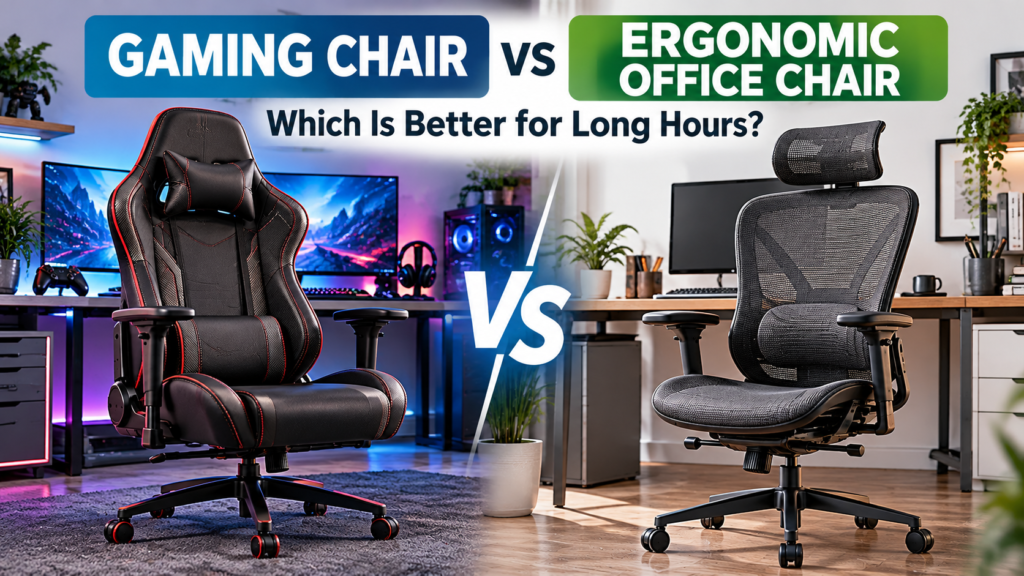
Choosing between a gaming chair vs ergonomic office chair can be surprisingly difficult, especially if you spend several hours a day at your computer. Gaming chairs often feature high backrests, reclining mechanisms, and designs inspired by racing seats, while ergonomic office chairs typically emphasize adjustability, breathable materials, and support for everyday desk work.
However, the differences aren’t always as clear as they appear. Some modern gaming chairs now include adjustable lumbar support and other ergonomic features traditionally associated with office seating. Meanwhile, certain office chairs offer reclining backrests and flexible adjustments that work just as well for gaming.
The better choice depends on how you use your computer, your body proportions, and which features genuinely improve your comfort. This comparison looks beyond appearance to help you decide which type of chair makes more sense for gaming, working from home, or doing both.
Gaming Chair vs Ergonomic Office Chair: What’s the Difference?
The biggest difference between gaming chairs and ergonomic office chairs is usually their design philosophy rather than their basic purpose. Both are intended to provide seating for computer users, but they often prioritize different features.
Traditional gaming chairs commonly have tall backrests, pronounced side bolsters, removable neck or lumbar cushions, and reclining mechanisms. Their appearance is often influenced by racing seats, although this doesn’t necessarily make them more suitable for long periods of sitting.
Ergonomic office chairs generally focus on supporting a range of working positions. Depending on the model, they may include adjustable lumbar support, seat-depth adjustment, flexible backrests, and breathable mesh materials.
Modern designs increasingly overlap. Some gaming chairs now offer sophisticated ergonomic adjustments, while premium office chairs may include reclining functions and headrests that appeal to gamers.
The important distinction is that neither category guarantees comfort. A poorly fitting ergonomic office chair can be just as uncomfortable as a gaming chair with limited adjustments.
Gaming Chair vs Ergonomic Office Chair: Quick Comparison
| Feature | Gaming Chair | Ergonomic Office Chair |
|---|---|---|
| Design | Often sporty, with tall backrests | Usually understated and professional |
| Lumbar support | Pillows or integrated adjustable systems | Often integrated into the backrest |
| Armrests | Basic to highly adjustable | Basic to highly adjustable |
| Reclining | Frequently offers a wide recline range | Often focuses on controlled reclining |
| Upholstery | Synthetic leather, fabric, or mesh | Mesh, fabric, or leather |
| Breathability | Depends on materials and design | Mesh models often prioritize airflow |
| Seat adjustment | Varies significantly by model | Seat-depth adjustment is common on higher-end models |
| Best suited for | Gaming, entertainment, and mixed use | Desk work, productivity, and mixed use |
| Main consideration | Fit and support beyond appearance | Fit and adjustability beyond the ergonomic label |
These are general tendencies rather than strict rules. Individual models can differ substantially, so it’s worth comparing actual specifications instead of assuming every chair within a category offers the same features.
Which Provides Better Back Support?
Back support is one of the most important considerations when comparing a gaming chair with an ergonomic office chair. However, the type of chair matters less than how well its backrest fits your body.
Many traditional gaming chairs use a removable lumbar pillow. This can provide useful support when positioned correctly, but some users find that the cushion moves around or presses too firmly against the lower back.
Ergonomic office chairs frequently incorporate lumbar support into the backrest itself. Some allow you to adjust its height or depth, while others rely on a flexible backrest designed to follow the natural shape of your spine.
Neither approach is automatically better. A removable cushion that fits your back properly may be more comfortable than an integrated mechanism that doesn’t align with your body.
The Occupational Safety and Health Administration’s chair ergonomics guidance emphasizes the importance of adequate back support and appropriate seating adjustments. These principles are useful regardless of whether the chair is marketed for gaming or office work.
When evaluating a chair, consider whether you can sit with your back supported without feeling pushed forward. The backrest should also remain comfortable when you change positions rather than requiring you to maintain one rigid posture.
If possible, test the chair for more than a few minutes. Initial softness can be appealing, but long-term comfort often depends on consistent support rather than how plush the chair feels when you first sit down.
Gaming Chair vs Ergonomic Office Chair for Long Hours of Sitting
If you regularly spend six to eight hours at a computer, comfort becomes more complicated than simply choosing a chair with thick padding.
A chair that feels soft during the first half-hour may become less comfortable as the day progresses. Seat dimensions, pressure distribution, armrest positioning, and backrest flexibility can all influence how supported you feel.
Ergonomic office chairs are often designed around extended desk work. Many offer flexible backrests and adjustments intended to accommodate different working positions throughout the day.
Gaming chairs vary more widely. Some traditional racing-style designs have firm side bolsters that can restrict movement, particularly for users with broader shoulders or those who prefer changing sitting positions frequently.
However, not all gaming chairs follow this design. Some newer models use wider seats, adjustable lumbar systems, and more flexible backrests to accommodate both gaming and office activities.
For someone who works from home and games in the evening, the ideal chair should support both upright keyboard use and more relaxed sitting positions.
It’s also important to remember that no chair eliminates the need for movement. Even with a comfortable seat, remaining in the same position for hours can become tiring. Changing positions and taking regular breaks should remain part of your routine.
Breathability and Materials: Which Chair Stays Cooler?
Temperature can make a noticeable difference in seating comfort, especially if you live in a warm climate or use your computer in a room without consistent air conditioning.
Many ergonomic office chairs use mesh backrests that allow air to circulate more freely. This can be particularly appealing during long workdays, although the comfort of mesh depends on its tension, shape, and overall construction.
Gaming chairs commonly use synthetic leather or fabric upholstery. Synthetic leather is often easier to wipe clean and can provide a smooth appearance, but some materials may retain heat during extended sitting.
Fabric gaming chairs can offer a different experience, particularly for users who dislike the feel of synthetic leather. However, fabric may require more regular cleaning and can absorb spills more easily.
Premium chairs in both categories may offer additional comfort features. Certain gaming chairs, for example, include integrated ventilation or temperature-control systems, although these features generally increase the price and aren’t essential for most users.
If staying cool is a priority, focus on the actual upholstery and ventilation design rather than assuming one category will always be more breathable.
A well-designed fabric gaming chair may feel cooler than a heavily padded office chair, while a breathable mesh office chair may be more comfortable than a synthetic leather gaming model in a warm room.
Adjustability: Which Chair Is Easier to Customize?
A chair’s adjustment options can be more important than its appearance because they determine how well the chair accommodates your body and desk.
Both gaming chairs and ergonomic office chairs commonly offer seat-height adjustment. Beyond that, the available features vary considerably.
Higher-end ergonomic office chairs may include adjustable seat depth, lumbar support, tilt tension, and armrest positioning. These adjustments can be especially useful for people who spend much of the day typing or using a mouse.
Gaming chairs frequently emphasize reclining mechanisms and multi-directional armrests. Some models also include adjustable lumbar systems, headrests, and seat configurations intended to support different activities.
For example, certain AutoFull gaming chairs offer integrated ergonomic adjustments alongside features designed for gaming and everyday computer use. These illustrate how the distinction between gaming and office seating has become less clear, although suitability still depends on the specific model.
The number of adjustments isn’t the only consideration. A chair with many controls may still be uncomfortable if the seat is too deep, the armrests don’t fit beneath your desk, or the lumbar support doesn’t align with your back.
Instead of counting features, consider whether you can adjust the chair to achieve a natural sitting position. Your feet should be supported, your shoulders relaxed, and your back comfortably supported without unnecessary pressure.
Price and Durability: Which Chair Offers Better Value?
Price is another important factor when comparing a gaming chair with an ergonomic office chair. Both categories include affordable models and premium options, so it’s difficult to say that one is consistently cheaper or better value.
Budget gaming chairs often emphasize appearance, reclining features, and additional cushions. At similar price points, basic ergonomic office chairs may prioritize breathable materials, straightforward adjustments, and practical designs. However, the quality of construction can vary considerably in either category.
At the premium end, both gaming and office chairs can become expensive. More advanced models may offer adjustable lumbar systems, durable frames, specialized upholstery, and additional comfort features.
The better investment depends on which features you’ll actually use. Someone who works at a computer throughout the day may value a flexible backrest and breathable mesh more than a wide reclining range. A gamer who frequently switches between keyboard-and-mouse gaming, controller use, and watching videos may appreciate a different combination of adjustments.
Durability deserves equal attention. Before purchasing, check the manufacturer’s warranty, weight capacity, and availability of replacement parts. A chair with replaceable wheels or armrests may offer better long-term value than one that requires replacing the entire unit when a component fails.
Also consider maintenance. Fabric and mesh may require occasional vacuuming, while synthetic leather is generally easier to wipe clean but can deteriorate with prolonged use and exposure to heat.
Rather than judging value by price alone, consider how comfortably the chair fits your body, how frequently you’ll use it, and whether its construction is likely to remain reliable.
Gaming Chair vs Ergonomic Office Chair: Which Should You Choose?
The best choice depends on how you spend your time at the computer. A chair that works well for someone playing games occasionally may not be the best option for someone using the same desk for work, meetings, and entertainment.
Choose a Gaming Chair If You Prefer Versatility and Reclining
A gaming chair may be a suitable option if you regularly switch between different activities and prefer a taller backrest, adjustable armrests, and reclining features.
For example, someone who plays games with a controller may appreciate being able to recline slightly while maintaining comfortable arm support. Others may prefer a gaming chair because its design fits the appearance of their computer setup.
However, appearance shouldn’t outweigh fit. Some racing-style chairs have narrow seats or pronounced side bolsters that may feel restrictive, so checking the actual dimensions remains important.
Choose an Ergonomic Office Chair If You Prioritize Desk Work
An ergonomic office chair may be a better fit if most of your day involves typing, video meetings, spreadsheets, or other desk-based tasks.
Many models emphasize adjustable seat depth, lumbar support, and breathable backrests. These features can be particularly useful when you need a chair that accommodates different working positions throughout the day.
Office chairs also tend to have more understated designs, which may be preferable in shared workspaces or professional home offices.
That said, an office chair isn’t automatically more comfortable simply because it has an ergonomic label. Its dimensions and adjustments still need to suit your body.
Consider Either Type If You Work and Game at the Same Desk
For people who work from home and play games in the evening, the distinction between gaming and office chairs becomes less important.
The better option is whichever chair allows you to sit comfortably during both activities. Adjustable lumbar support, appropriate seat dimensions, armrests that work with your desk, and a supportive backrest should take priority.
It’s also worth looking at the surrounding workspace. Common gaming setup mistakes can make even a well-designed chair uncomfortable when the monitor, desk, and peripherals are poorly positioned.
A chair should work with your existing setup rather than forcing you to rearrange everything around its limitations.
How to Set Up Either Chair for Better Comfort
Whether you choose a gaming chair or an ergonomic office chair, proper adjustment makes a substantial difference in how comfortable it feels.
Start with the seat height. Your feet should rest securely on the floor or a suitable footrest, and the front edge of the seat shouldn’t press firmly against the backs of your knees.
Next, adjust the backrest so your lower back feels supported without forcing you into an unnaturally rigid position. If the chair includes adjustable lumbar support, make small changes until the support feels comfortable.
Position the armrests so your shoulders can remain relaxed while using your keyboard and mouse. Armrests that are too high may encourage raised shoulders, while those that are too low may provide little useful support.
Monitor placement is equally important. The Mayo Clinic’s office ergonomics guidance recommends placing your monitor directly in front of you, approximately an arm’s length away, with the top of the screen at or slightly below eye level.
Finally, remember that even a supportive chair doesn’t eliminate the need to move. Change your sitting position periodically and take opportunities to stand or walk around during extended computer sessions.
What Should You Check Before Buying?
Product descriptions often emphasize features, but they don’t always explain how those features will feel during everyday use.
Before choosing a chair, pay attention to the following:
- Seat dimensions: Check whether the width and depth suit your body.
- Adjustment range: Make sure the seat, backrest, and armrests can accommodate your preferred sitting position.
- Lumbar support: Look for support that fits your lower back rather than simply choosing the chair with the largest cushion.
- Materials: Consider breathability, cleaning requirements, and how the upholstery will feel in your room.
- Warranty and returns: Check the coverage and return conditions before ordering.
Whenever possible, try sitting in the chair before purchasing. If you’re shopping online, compare its dimensions with a chair you already find comfortable.
Don’t forget that seating is only one part of your computer experience. A properly arranged desk, monitor, and peripherals can be just as important for comfort. Similarly, optimizing Windows 11 for gaming addresses performance through several practical adjustments rather than relying on a single upgrade.
Frequently Asked Questions
Is a gaming chair or ergonomic office chair better for your back?
Neither category is automatically better. Proper back support depends on the chair’s design, adjustment options, and how well it fits your body. An ergonomic office chair with adjustable lumbar support may be more comfortable for one person, while a well-designed gaming chair may work better for another.
Are gaming chairs comfortable for eight hours?
Some gaming chairs can remain comfortable during extended computer use, particularly when they provide appropriate seat dimensions, adjustable support, and breathable materials. However, comfort varies between users and models. Regular movement and breaks are still important regardless of the chair.
Can you use an ergonomic office chair for gaming?
Yes. Ergonomic office chairs can work very well for gaming, especially when you primarily use a keyboard and mouse. Many provide adjustable armrests, lumbar support, and reclining mechanisms that are useful for both gaming and everyday computer work.
Why are some gaming chairs more expensive than office chairs?
Pricing depends on materials, construction, brand, adjustment mechanisms, and additional features. Premium gaming chairs may include temperature control, massage functions, or specialized reclining systems, while expensive ergonomic office chairs may focus on advanced support mechanisms and durable construction.
Are mesh chairs better than leather gaming chairs?
Mesh chairs may feel cooler because they allow more airflow, making them appealing in warm environments. Synthetic leather chairs can be easier to wipe clean and may offer a different cushioning experience. The better choice depends on your preferences, room temperature, and the quality of the specific materials.
Is an ergonomic gaming chair worth buying?
An ergonomic gaming chair may be worth considering if it provides the adjustments and support you need. However, the word “ergonomic” alone doesn’t guarantee comfort. Compare seat dimensions, lumbar support, armrests, materials, and warranty coverage before deciding.
Which chair is better for both working from home and gaming?
Either can work well. If you spend most of your time typing and attending meetings, an adjustable ergonomic office chair may be particularly practical. If you frequently switch between desk work, controller gaming, and reclining, a gaming chair with suitable ergonomic adjustments may also be a good choice.
Final Thoughts
The gaming chair vs ergonomic office chair decision isn’t as straightforward as choosing between gaming and working. Both types can provide comfortable seating, and modern designs increasingly share similar ergonomic features.
Gaming chairs may appeal to users who prefer tall backrests, reclining options, and designs suited to entertainment setups. Ergonomic office chairs often prioritize flexible support, breathable materials, and adjustments designed for everyday desk work.
Neither category is automatically the better choice for long hours. Seat dimensions, lumbar support, armrest positioning, materials, and construction quality matter more than the label attached to the chair.
Before purchasing, focus on how the chair fits your body and supports the activities you perform most often. A chair that feels comfortable, works with your desk, and allows you to change positions naturally is likely to be a better investment than one chosen primarily for its appearance or feature list.
Did this solve your problem?
Your answer helps Supportia prioritize updates. No account or email is required.