
This article contains affiliate links. We may earn a commission if you make a purchase through these links.
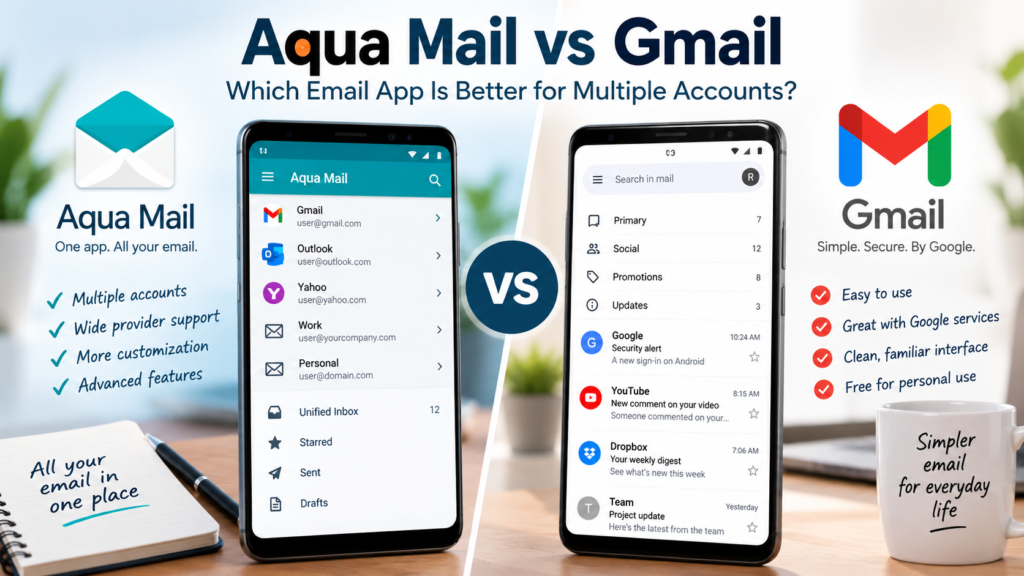
Aqua Mail vs Gmail is an interesting comparison if you use more than one email address on your phone. Gmail is the familiar choice for Android users and works particularly well with Google accounts, while Aqua Mail is designed as a more flexible email client for people who want to bring accounts from different providers into one place.
Both can handle multiple email accounts, so the decision isn’t simply about whether you can add Gmail, Outlook, Yahoo, or another address. The bigger differences involve how much control you want over your inbox, how many accounts you manage, customization, notifications, and whether most of your email life already revolves around Google.
For someone with one or two Gmail addresses, Google’s app may already provide everything necessary. But if you’re juggling several personal, business, and domain-based accounts, a dedicated multi-account email client can become more appealing.
Aqua Mail vs Gmail at a Glance
| Feature | Aqua Mail | Gmail |
|---|---|---|
| Best suited to | Multiple accounts and providers | Gmail and Google-focused users |
| Multiple email accounts | Yes | Yes |
| Unified inbox | Yes | Yes |
| Gmail accounts | Yes | Yes |
| Outlook, Yahoo & other providers | Yes | Yes |
| IMAP support | Yes | Yes |
| Interface customization | More extensive | Simpler |
| Google ecosystem integration | Good | Excellent |
| Learning curve | Slightly higher | Very easy |
| Best for beginners | Good | Excellent |
| Advanced email users | Excellent | Good |
| Pricing | Free version available; premium options available | Free for personal use; paid Google Workspace plans available for businesses |
The biggest difference is philosophy. Gmail aims to make email straightforward and largely manages the experience for you. Aqua Mail gives users more control over how several accounts behave within the same application.
Google currently allows Gmail mobile users to add Gmail as well as non-Gmail addresses such as Outlook, iCloud Mail, and Yahoo. The Gmail app also includes an All inboxes view for seeing messages from multiple accounts together.
What Is Aqua Mail?
Aqua Mail is an email client built for people who want to access different email services through one application rather than relying on a separate app for each provider.
This becomes useful when your email setup is mixed. You might have a personal Gmail address, a Microsoft account for work, an older Yahoo account, and an email address connected to your own website domain. Instead of moving between several apps, you can manage those accounts from one interface.
The important distinction is that Aqua Mail isn’t another email provider in the same sense as Gmail. You don’t need to abandon your existing email addresses. It acts as the application through which you access and manage them.
That makes Aqua Mail particularly relevant for users who have accumulated several accounts over time and want greater control over how those accounts appear and behave on their device.
You can try Aqua Mail for free here.
What Is Gmail?
Gmail is Google’s email service and email application. For many Android users, it is already installed and connected to the Google account used on the device.
Although Gmail naturally works best with Gmail and other Google services, the mobile app isn’t restricted to Google addresses. You can add accounts from providers such as Outlook, iCloud Mail and Yahoo, and other providers can be configured manually using IMAP settings.
This makes Gmail more capable as a multi-account email app than some users realize.
You can also view messages from different accounts through All inboxes, while still opening each account separately. For someone who wants basic multi-account management without installing another email client, that may be enough.
Gmail also benefits from Google’s familiar inbox organization. Depending on your settings, messages can be separated into categories such as Primary, Social, Promotions and Updates, while other layouts can prioritize unread, starred or important messages.
Aqua Mail vs Gmail for Multiple Email Accounts
This is where the Aqua Mail vs Gmail comparison becomes more interesting because both applications can solve the same basic problem.
Suppose you have four addresses:
• Personal Gmail
• Work Outlook
• Yahoo account
• Email using your own domain
Gmail can bring these accounts into its mobile application. Google currently says users can add up to five email addresses and view multiple accounts through the All inboxes option.
For many people, that’s perfectly adequate.
Aqua Mail becomes more attractive when managing several accounts is a central part of how you use email rather than an occasional convenience. Its appeal is less about simply receiving messages and more about giving users additional control over the email-client experience.
This is particularly relevant for freelancers, business owners, professionals and anyone who keeps several email identities separate.
It is similar to choosing other everyday software: the application with the longest feature list isn’t automatically the best choice. A carefully selected collection of free Windows software worth installing is generally more useful than installing several applications that perform essentially the same job.
Aqua Mail vs Gmail for Ease of Use
For pure simplicity, Gmail has the advantage.
If you already use Android and Gmail, there may be almost nothing to configure. Your Google account is likely already connected, and adding another common email provider is relatively straightforward.
Google’s familiar interface also reduces the learning curve. Most basic actions—replying, forwarding, archiving, deleting, searching and switching accounts—are easy to find.
Aqua Mail requires a little more setup, particularly if you want to take advantage of its additional options. That’s not necessarily a disadvantage. The extra configuration exists largely because Aqua Mail is aimed at people who want more control.
The choice therefore depends on what you value.
If you want to install an email app and think about its settings as little as possible, Gmail is difficult to beat. If you enjoy configuring software around the way you work, Aqua Mail is likely to feel less restrictive.
Aqua Mail vs Gmail for Inbox Organization
Both apps can help prevent several accounts from turning into several separate daily chores.
Gmail’s All inboxes option gives you a combined view of messages from the accounts added to the app. You can then switch to an individual account whenever you need to focus on a particular inbox.
That simple approach works well for everyday email.
The downside of any unified inbox is that combining everything can create its own form of clutter. Work messages, receipts, newsletters, personal conversations and account alerts may suddenly appear together.
For someone with relatively light email use, Gmail’s approach is convenient. Someone managing a larger or more complicated collection of accounts may appreciate the additional control offered by a dedicated email client such as Aqua Mail.
Whichever app you choose, keeping the rest of your digital files organized matters too. Attachments that need to be retained shouldn’t simply disappear into a downloads folder or remain buried in old messages. A suitable cloud storage service for important files can make frequently needed documents easier to find while providing another copy outside your email account.
Which One Is Better So Far?
For the average Gmail user, Gmail has the advantage in simplicity. It’s familiar, free to use, tightly connected with Google’s services, and capable of handling several different email providers.
Aqua Mail starts to make more sense as the number and variety of accounts increases. Its value is strongest for someone who treats email as an important daily tool and wants more control than a straightforward Gmail setup provides.
That doesn’t make one universally better than the other. The more useful question is whether Gmail’s simplicity is an advantage for you—or whether it has started to feel limiting.
Aqua Mail vs Gmail for Customization
Customization is one of the areas where the differences between Aqua Mail and Gmail become more noticeable.
Gmail deliberately keeps most of the experience relatively consistent. You can change certain inbox settings, notification preferences, swipe actions, conversation views, signatures, and other options, but Google largely determines how the application looks and behaves.
For many users, that’s an advantage. There are fewer settings to worry about, and the interface remains familiar when you move between devices.
Aqua Mail provides considerably more room to adjust the email experience. Users can customize aspects of the interface, account behavior, notifications, signatures, message handling, and other settings. This is particularly useful when different accounts serve very different purposes.
For example, you might want your work account to behave differently from an old personal inbox that you only check occasionally. The additional controls can make managing that kind of setup easier without requiring separate email applications.
The trade-off is complexity. More customization means more settings, so someone who simply wants to send and receive email may find Gmail’s simpler approach preferable.
Aqua Mail vs Gmail for Notifications
Notifications might sound like a minor feature until you’re managing four or five active email addresses.
Gmail provides notification controls that are sufficient for most users. You can decide which accounts should alert you and adjust notification behavior so every incoming message doesn’t necessarily demand your attention.
Aqua Mail’s more configurable approach can be useful when you want different accounts to have noticeably different notification behavior. That can help separate an important work inbox from less urgent personal accounts.
Imagine that you have a business address, personal Gmail account, shopping address, and an older Yahoo account. You may want immediate alerts from the business address, normal notifications from Gmail, and almost no interruptions from the other two.
The important point isn’t simply which app offers more settings. It’s whether you’ll actually use them. Gmail’s simpler notification system will be enough for many people, while Aqua Mail is more appealing when account-by-account control is important to you.
Aqua Mail vs Gmail for Privacy and Security
Both apps ultimately depend partly on the security of the email providers you connect to them. Using Aqua Mail to access a Gmail account, for example, doesn’t replace the security protections on your Google account.
Your own security habits matter just as much.
Every important email account should have a strong, unique password, and two-factor authentication should be enabled wherever possible. Your phone should also be protected with a secure PIN, password, fingerprint, or another appropriate screen-lock method.
This becomes even more important when several accounts are accessible from one application. If someone gains access to an unlocked phone, a convenient unified email setup could potentially give them access to several inboxes at once.
Email also deserves extra protection because it frequently acts as the recovery method for other online accounts. An attacker who compromises your primary inbox may be able to reset passwords for cloud storage, shopping accounts, social networks, and other services.
The same layered approach applies to protecting your computer. Basic habits such as keeping software updated, using built-in security features, and being cautious with unexpected attachments form part of broader essential PC troubleshooting and maintenance practices.
Aqua Mail vs Gmail Pricing
Gmail has the simpler proposition for personal users: the Gmail service and mobile app can be used without paying for a separate email-client subscription. Google also offers paid Google Workspace plans for businesses that need custom business email and additional organizational features.
Aqua Mail takes a different approach. A free version is available, while premium options unlock additional functionality for users who want more from the email client.
This means the value calculation is different for each app.
If Gmail already handles all of your accounts comfortably, paying for another email client may provide little benefit. There’s no reason to replace a free solution simply because another application offers more settings.
Aqua Mail becomes easier to justify when email is something you manage heavily every day. If its additional controls save time across several personal, business, and domain-based accounts, paying for the additional functionality may make sense.
This is also where Aqua Mail’s free option is useful. You can determine whether you prefer its approach to managing email before deciding whether its premium features are worthwhile.
Who Should Choose Gmail?
Gmail remains the better choice for a large percentage of users.
It’s particularly easy to recommend if most of your email addresses are Gmail accounts and you already rely heavily on Google’s ecosystem. The app is familiar, easy to configure, and capable of adding accounts from other providers when necessary.
Gmail is likely the better fit if:
• You primarily use Gmail or other Google services
• You want the simplest possible email experience
• You only manage a few accounts
• You don’t need extensive interface customization
• You prefer a free solution for personal email
• Google’s All inboxes view provides enough organization
There’s little benefit in making email more complicated than necessary. If Gmail already lets you check all your important accounts comfortably, staying with it is a perfectly sensible choice.
Who Should Choose Aqua Mail?
Aqua Mail becomes more compelling as your email setup becomes more complicated.
Someone managing personal, business, freelance, domain-based, and older email accounts may place more value on having a dedicated email client designed around multi-account management.
Aqua Mail is likely worth considering if:
• You regularly manage several email accounts
• Your accounts come from different providers
• You want more control over the email interface
• Account-specific settings and notifications matter to you
• You frequently switch between personal and professional email
• You’re willing to spend some time configuring the app to suit your workflow
In other words, Aqua Mail isn’t necessary simply because you have two email addresses. Its strengths become more relevant when email management itself has become a meaningful part of your daily routine.
Aqua Mail vs Gmail: Which Is Better?
For most casual users, Gmail is the easier choice. It’s familiar, straightforward, works well with Google services, supports accounts from other providers, and doesn’t require paying for a separate email client for normal personal use.
For people managing a more complicated collection of email accounts, Aqua Mail offers a different advantage: control. Its appeal isn’t that Gmail suddenly stops working when you add several accounts. It’s that users who spend a significant amount of time managing email may appreciate having more ways to configure that experience.
So the winner in Aqua Mail vs Gmail depends primarily on the complexity of your inbox.
Choose Gmail if you want email to remain simple. Consider Aqua Mail if you’ve reached the point where managing multiple providers and accounts through a more configurable email client would make your daily routine easier.
FAQs
Is Aqua Mail better than Gmail?
Not for everyone. Gmail is generally easier for casual users and people heavily invested in Google’s ecosystem. Aqua Mail is more appealing to users who want greater control over multiple accounts and email providers.
Can Aqua Mail manage Gmail accounts?
Yes. Aqua Mail can be used as an email client for Gmail as well as accounts from other supported providers. Your Gmail address remains a Google account; Aqua Mail simply becomes the application you use to access it.
Can Gmail manage non-Gmail email accounts?
Yes. The Gmail mobile app can add accounts from other providers, including services such as Outlook, Yahoo and iCloud Mail, as well as accounts configured through supported email protocols.
Do I need Aqua Mail if I already have Gmail?
Probably not if Gmail already handles your email comfortably. Aqua Mail makes more sense when you manage several accounts or want more customization and control than Gmail provides.
Can I see several email accounts in one inbox?
Yes. Both apps provide ways to view messages from multiple configured accounts together while still allowing you to access individual accounts separately.
Is it safe to keep multiple email accounts in one app?
It can be, provided the device and individual accounts are properly secured. Use unique passwords, enable two-factor authentication where available, and protect the device itself with a strong screen lock.
Final Thoughts
The Aqua Mail vs Gmail decision isn’t really about finding one email app that’s objectively better. It’s about matching the app to the way you actually use email.
Gmail is difficult to beat for simplicity, particularly if your digital life already revolves around Google. Aqua Mail is more interesting for users whose inbox setup has grown beyond a couple of straightforward accounts and who want more control over how those accounts are managed.
If that describes your situation, Aqua Mail is worth trying before deciding whether its premium features provide enough additional value for your particular workflow.
Did this solve your problem?
Your answer helps Supportia prioritize updates. No account or email is required.